
At Paperwise, our team is always working to make our document management solution, Symphony, smarter, more flexible, and easier to use. Our latest release brings a set of powerful enhancements across document management, usability, and integrations, helping teams save time, stay organized, and streamline workflows.
Symphony Document Workbench: More Control Over Your Files
The Symphony Document Workbench has been expanded with new functionality, now available directly in the Search Tab context menu. With these updates, you can:
- Merge or Split Documents: Combine multiple documents into one or split individual pages as needed.
- Download New Merged Files: Save your combined file instantly for use across your workflows.
- Send to Import: Push merged documents back into Import for seamless organization.
- Revise in Workbench: Make updates to documents right from the Search Tab without extra steps.
- Expanded Access: Even restricted users with Packet Import access can now use Document Workbench features.
These enhancements means teams have faster, more flexible tools to keep documents clean, accurate, and audit-ready.

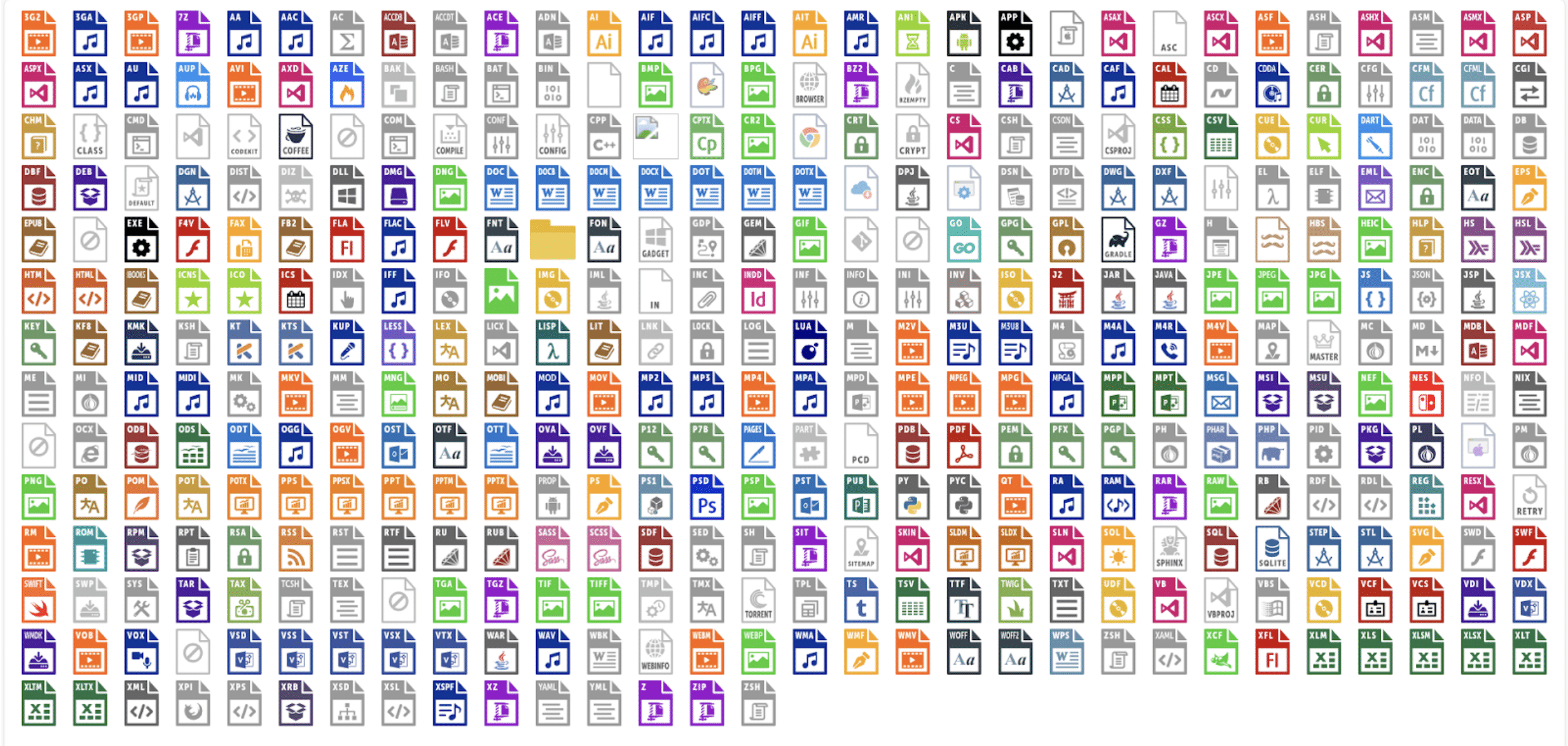
Expanded File Type Icons
Symphony’s visual experience just got better. We’ve expanded file type icons to cover a wider range of file formats, making it easier to recognize and manage documents at a glance. While this may seem simple, this adjustment will make items visually easier to organize and find.
Microsoft Outlook Add-in: Smooth Email-to-Symphony Workflows
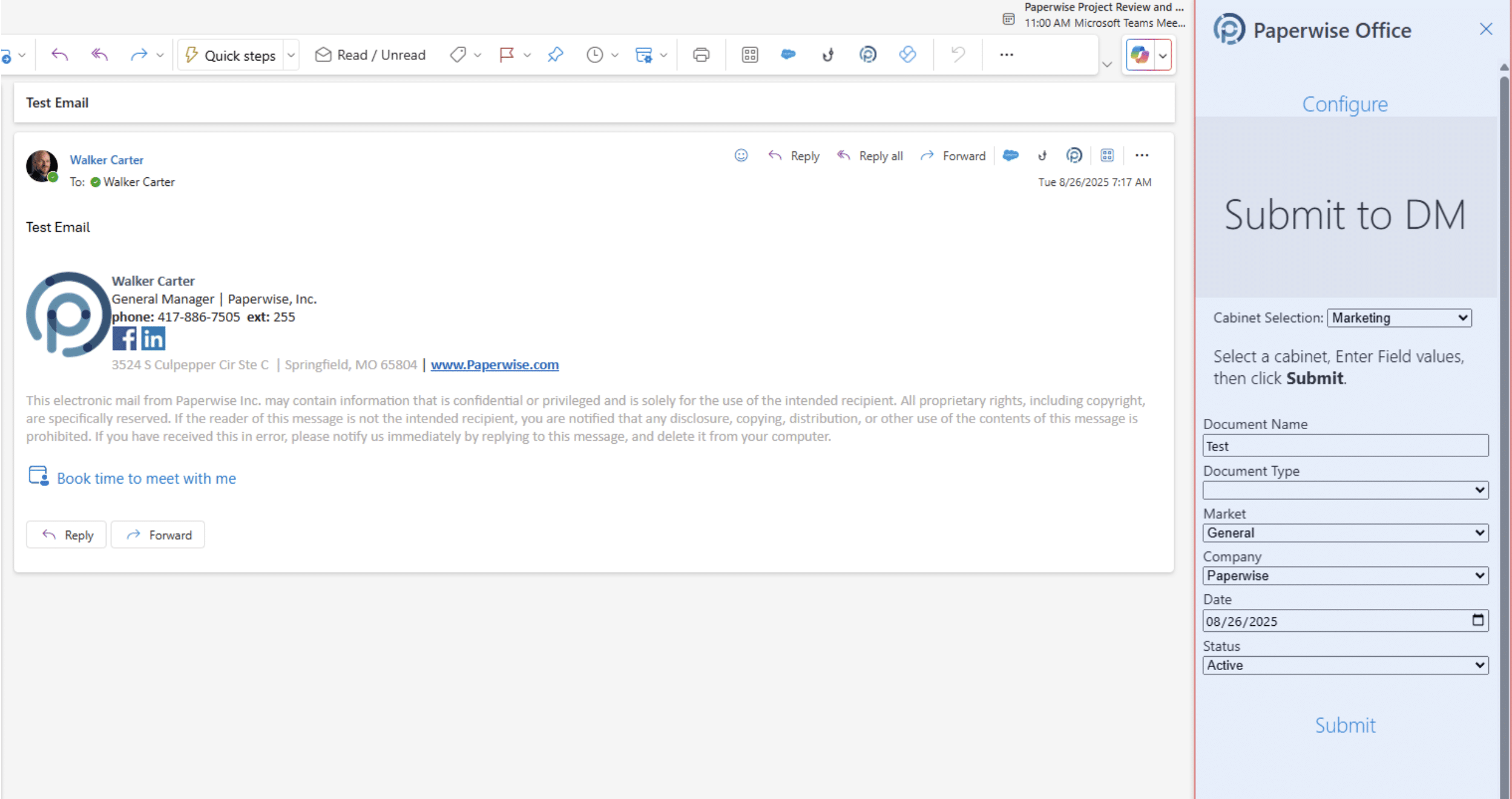
We’re also excited to enhance the Microsoft Outlook Add-in for Symphony. This update helps bridge email and document management, letting you send emails and attachments into Symphony with precision and ease.
Key features include:
- Flexible Login: Use Symphony or Enterprise credentials for setup.
- Cabinet Selection: Choose exactly where emails and attachments are stored.
- Field Controls: Support for required fields, hidden index fields, and cabinet default values.
- Date Field Hotkeys: Quickly populate dates using Symphony’s shortcut keys.
- Clear Feedback: Success and failure messages confirm submissions instantly.
- Attachment Handling: Send emails with attachments directly into Symphony without extra steps.
This add-in empowers teams to keep communications and documents connected, no more searching through inboxes for critical files.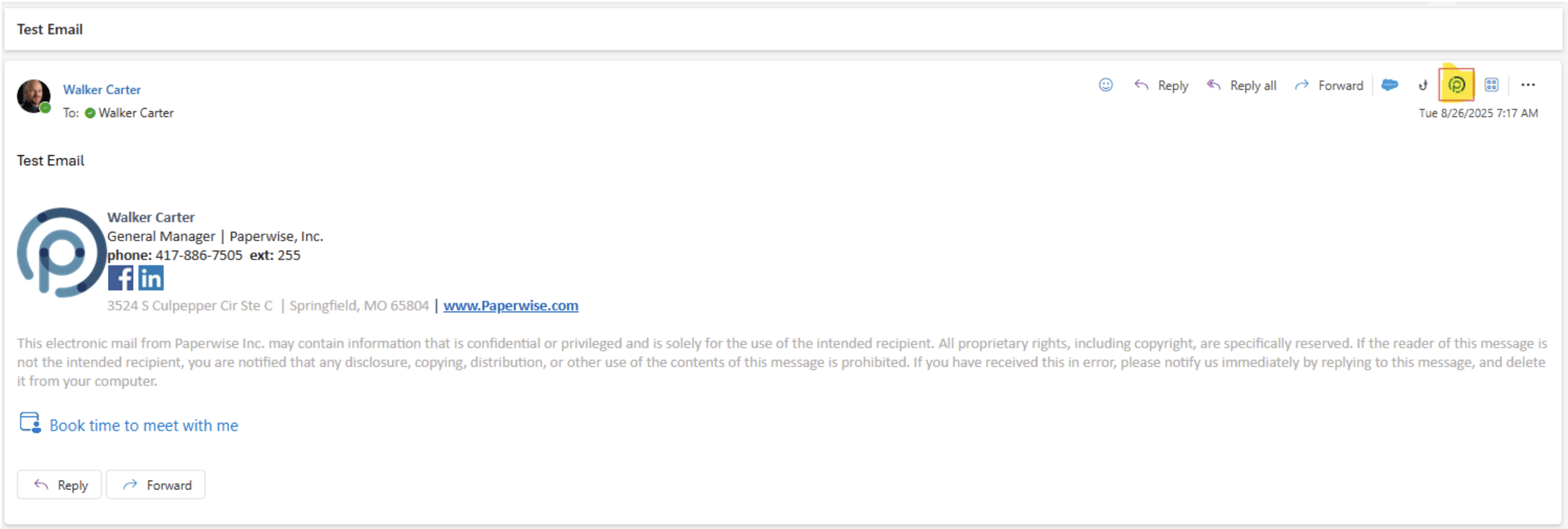
How These Enhancements Help Your Organization
With our latest updates, Symphony continues to evolve into a more powerful, user-friendly document management platform. From enhanced document handling in Workbench to expanded file recognition and seamless Outlook integration, these features help your organization work smarter, not harder.
Ready to see these features in action? Contact us to schedule a demo and explore how Symphony can make your document management even more efficient.